> For the complete documentation index, see [llms.txt](https://launchnodes.gitbook.io/stablecoin-for-impact-sfi/llms.txt). Markdown versions of documentation pages are available by appending `.md` to page URLs; this page is available as [Markdown](https://launchnodes.gitbook.io/stablecoin-for-impact-sfi/donating-stablecoin-yield/how-to-withdraw-supplied-usdt-usdc-dai.md).
# How to withdraw supplied USDT/USDC/DAI
Follow the steps below to withdraw your USDT/USDC/DAI and stop donating.
### Withdrawing your stablecoins
1. Connect your wallet to the SFI web app
2. Go to Withdraw page (header menu)
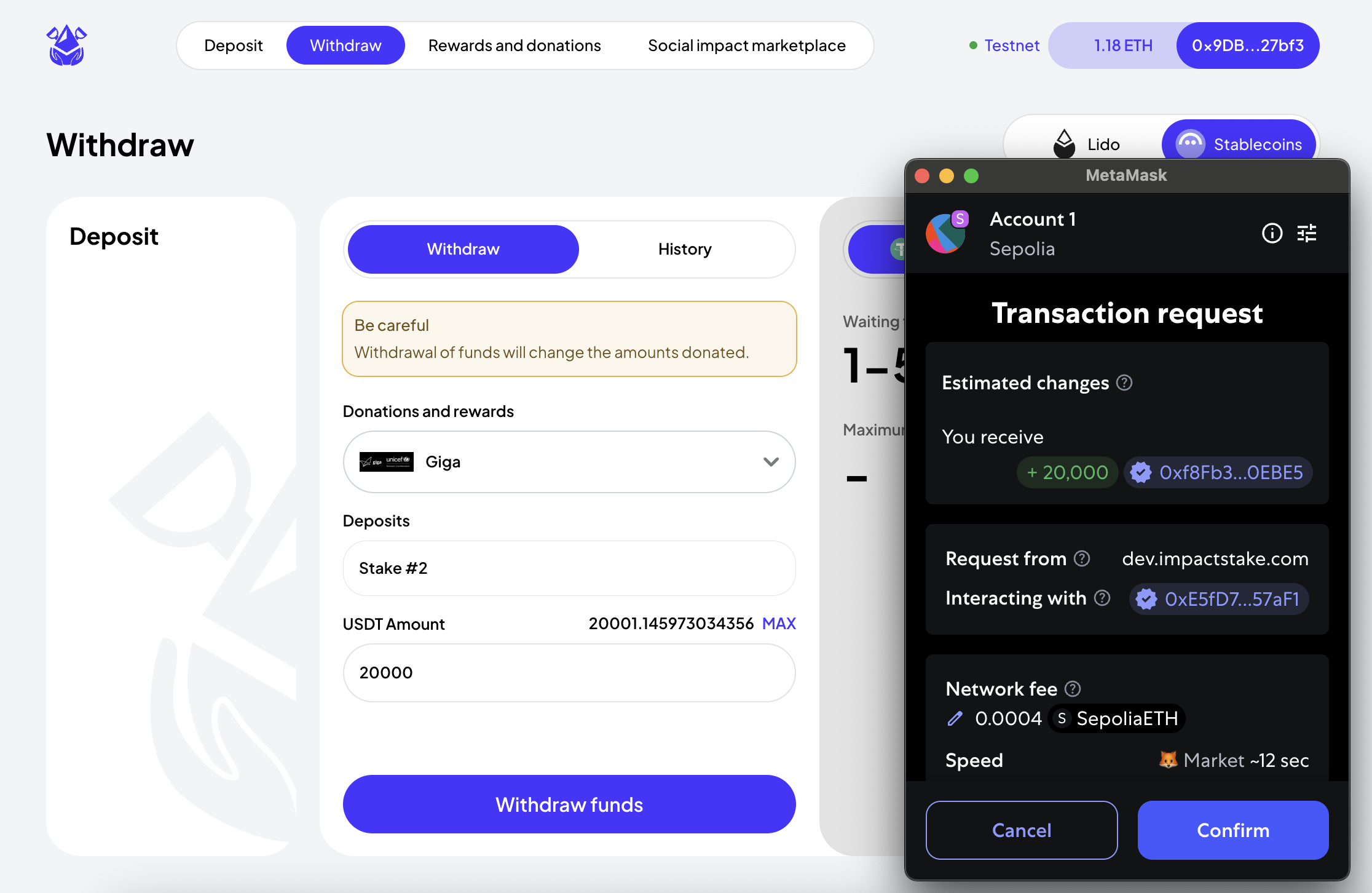
Withdrawing from Stablecoin Impact Yield
1. Select your token and social impact organisation
2. Select the specific deposit you would like to withdraw
3. Enter the Withdraw amount or click on MAX to withdraw the whole deposit
4. Click Withdraw
5. Accept the wallet transaction request to complete the withdrawal